
 EV & Gas · Free on iOS and Android
Gas car or EV,one app does it
The cheapest gas, open EV chargers, AI route picks and a car log. Official data for every gas and charging station in Korea, on one screen. The app is in Korean.
Featured on the Korea National Oil Corporation blog, “Introducing private companies putting public data to work”Read (Korean)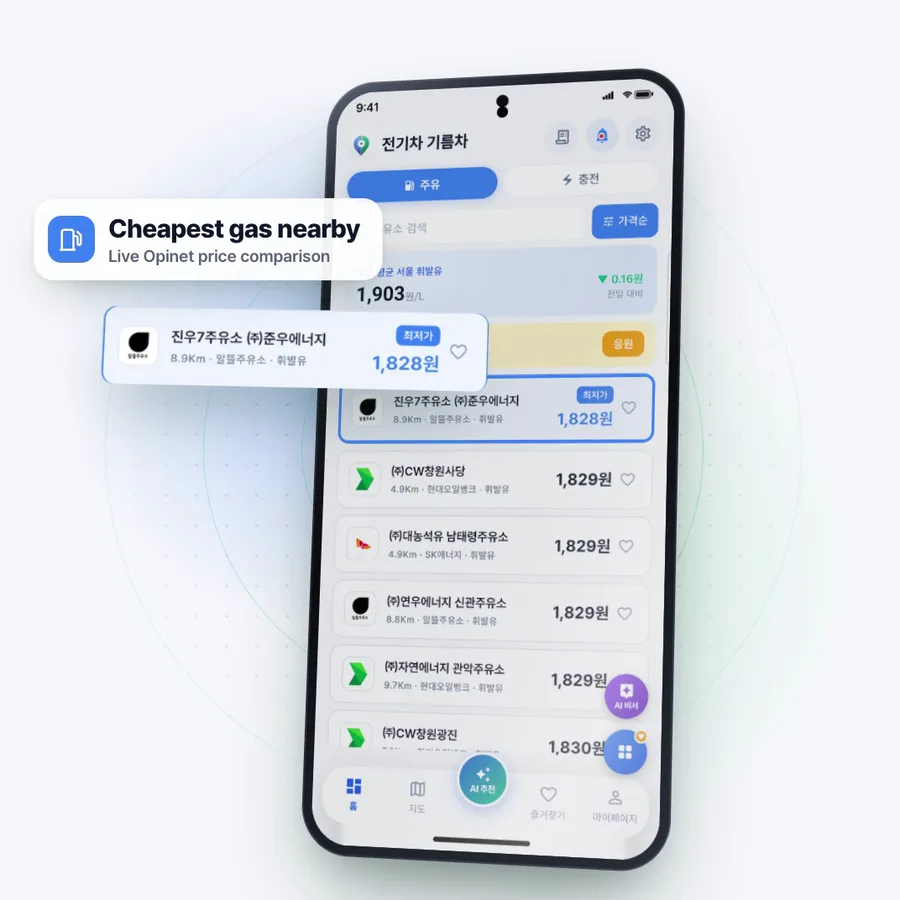
- Gas stations compared nationwide
- 11,000
- EV chargers tracked nationwide
- 400,000
- Official government data
- Opinet · MoE
- Waypoints in AI route picks
- Up to 3
“We'd like to introduce '전기차 기름차 (EV & Gas)', an outstanding mobile app built on KNOC's high-quality public data.”
“It connects to KNOC Opinet's fuel price API (station details, retail prices and regional averages) to compare nearby gas stations by price and show today's local average and the change from yesterday.”
Features the blog highlighted
- Live Opinet fuel prices
- Open chargers
- AI route picks
- EV subsidies
- Recall alerts

Fuel, charging and the car logEverything you spend on driving, in one app
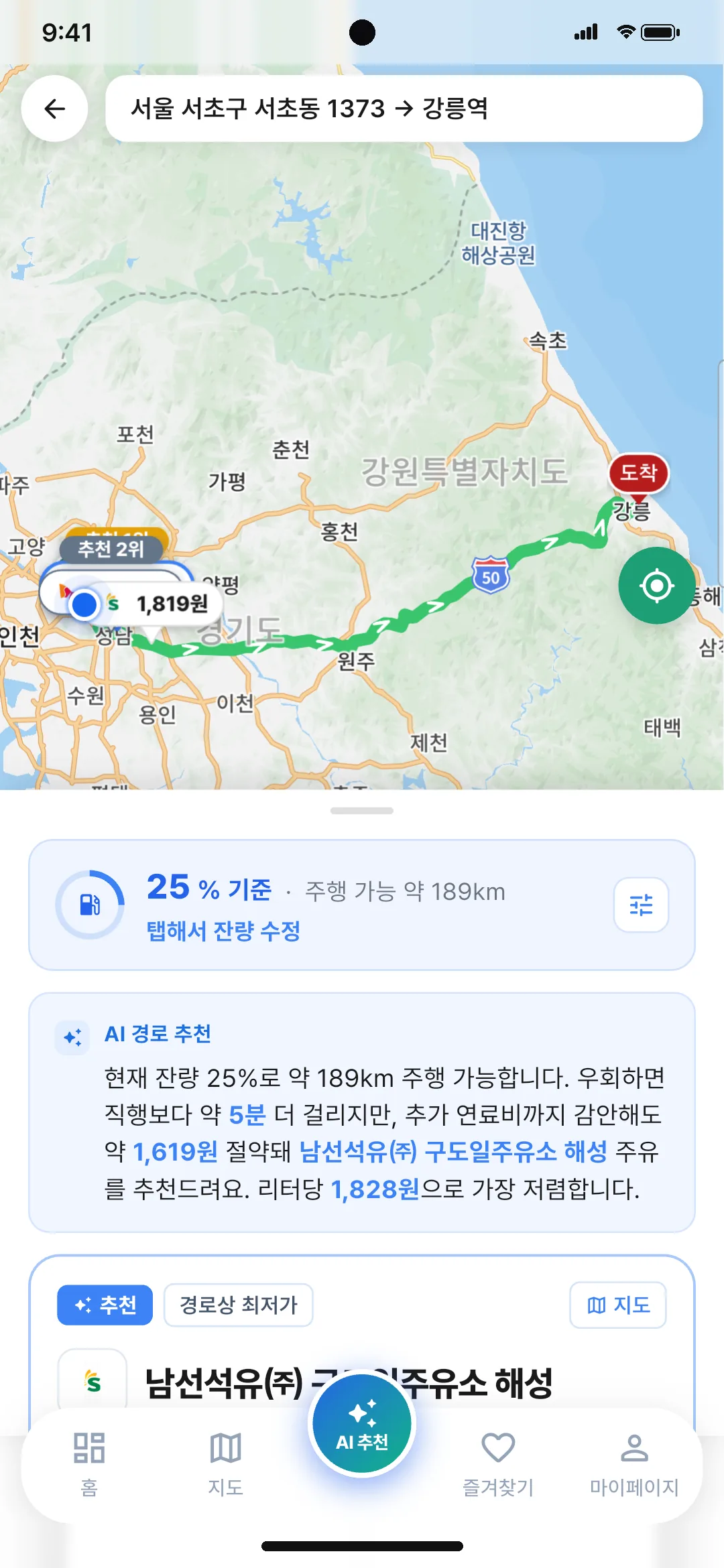
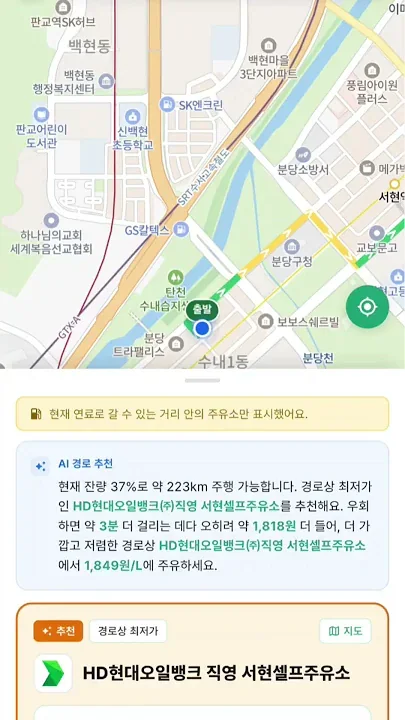
Gas on the way, and how much you save
Enter a destination and it weighs detour time against fuel cost to pick the best station.
- Compares the cheapest nearby prices from Opinet
- Add up to 3 waypoints and it follows that exact route
- Hands off to TMAP, Naver or Kakao navigation
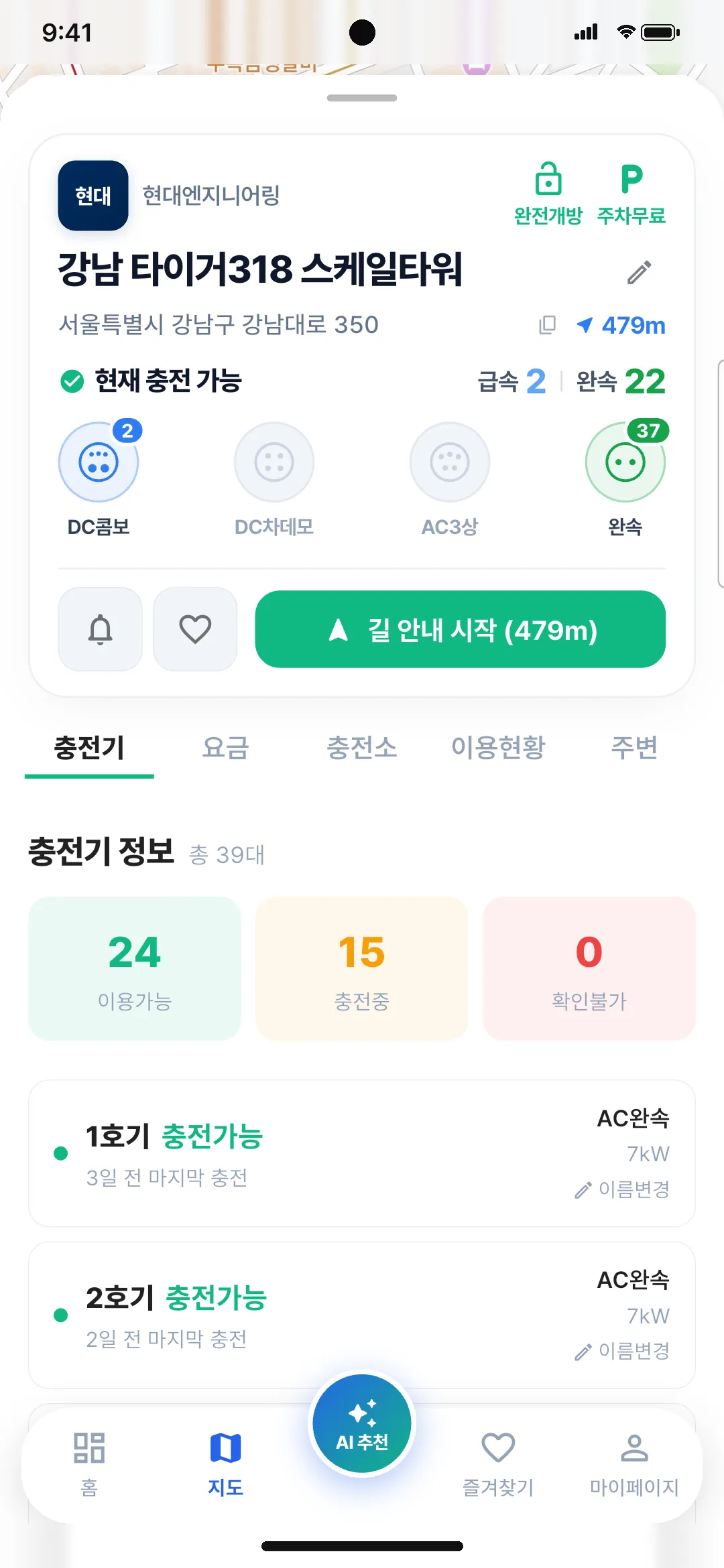
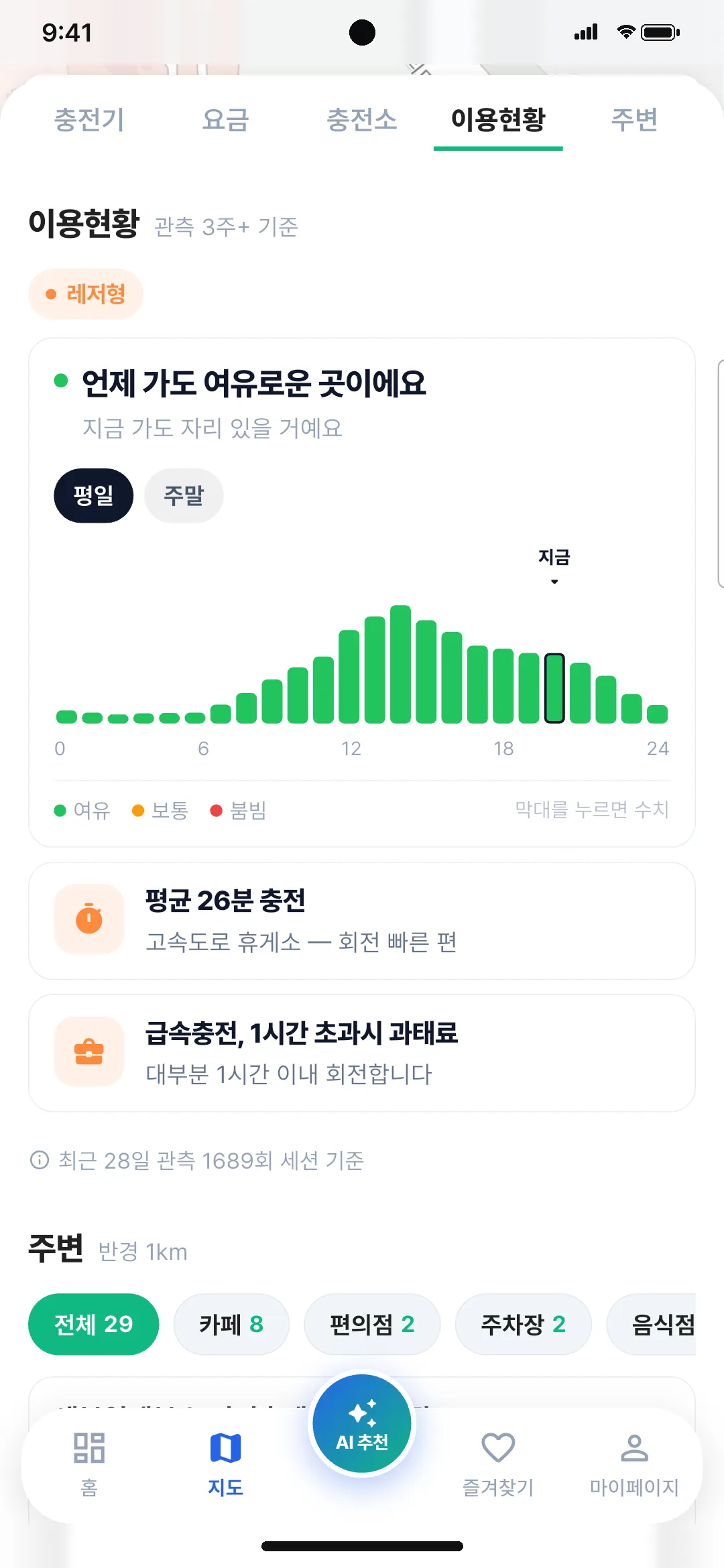
Only the chargers free right now
See open fast and slow chargers, and how busy each hour gets, before you leave.
- Live charger status from the Ministry of Environment
- If it is full, get alerted the moment a spot opens
- Member and non-member prices by operator
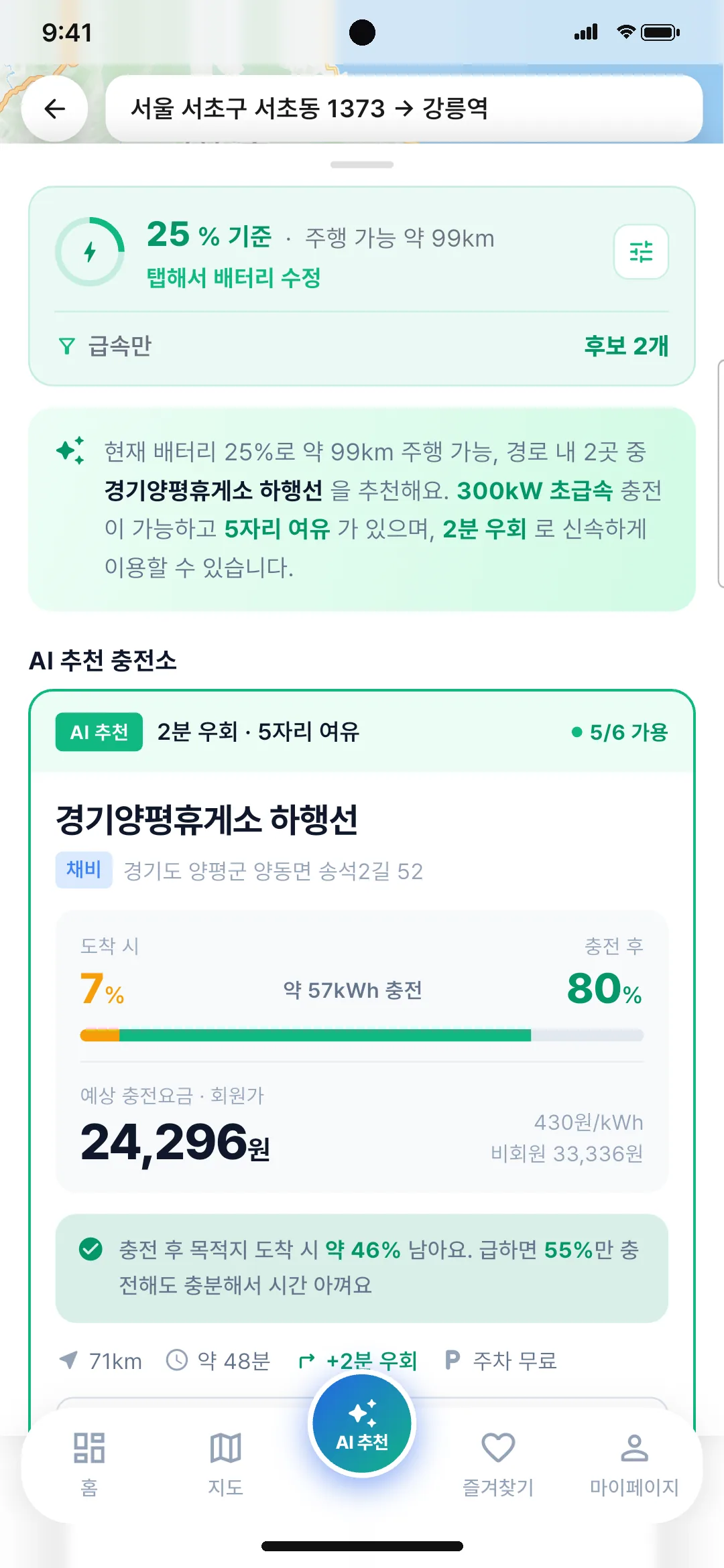
Rest-area chargers matched to your battery
It works out how far to charge, and what it will cost.
- Battery left on arrival and after charging
- Estimated cost at member prices
- The minimum you need if you are in a hurry
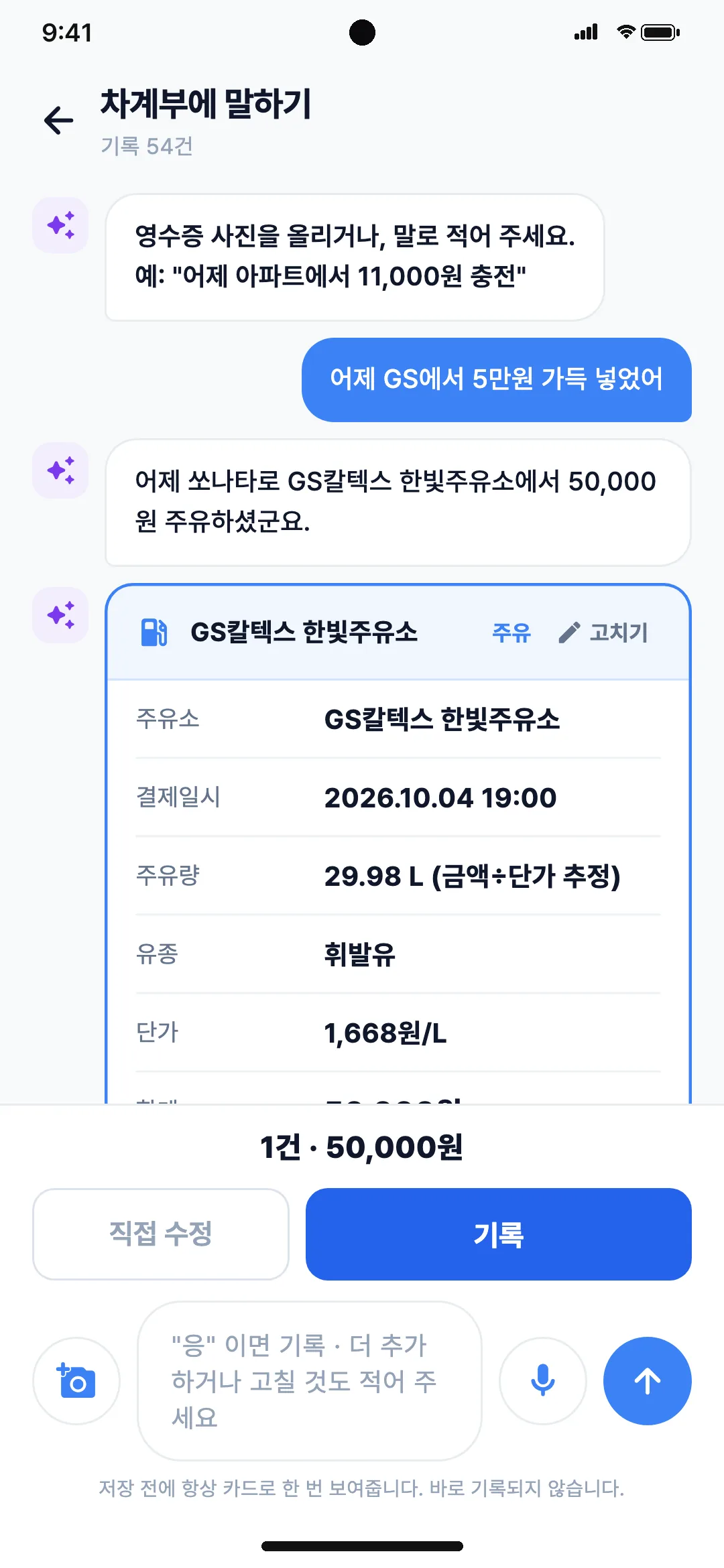
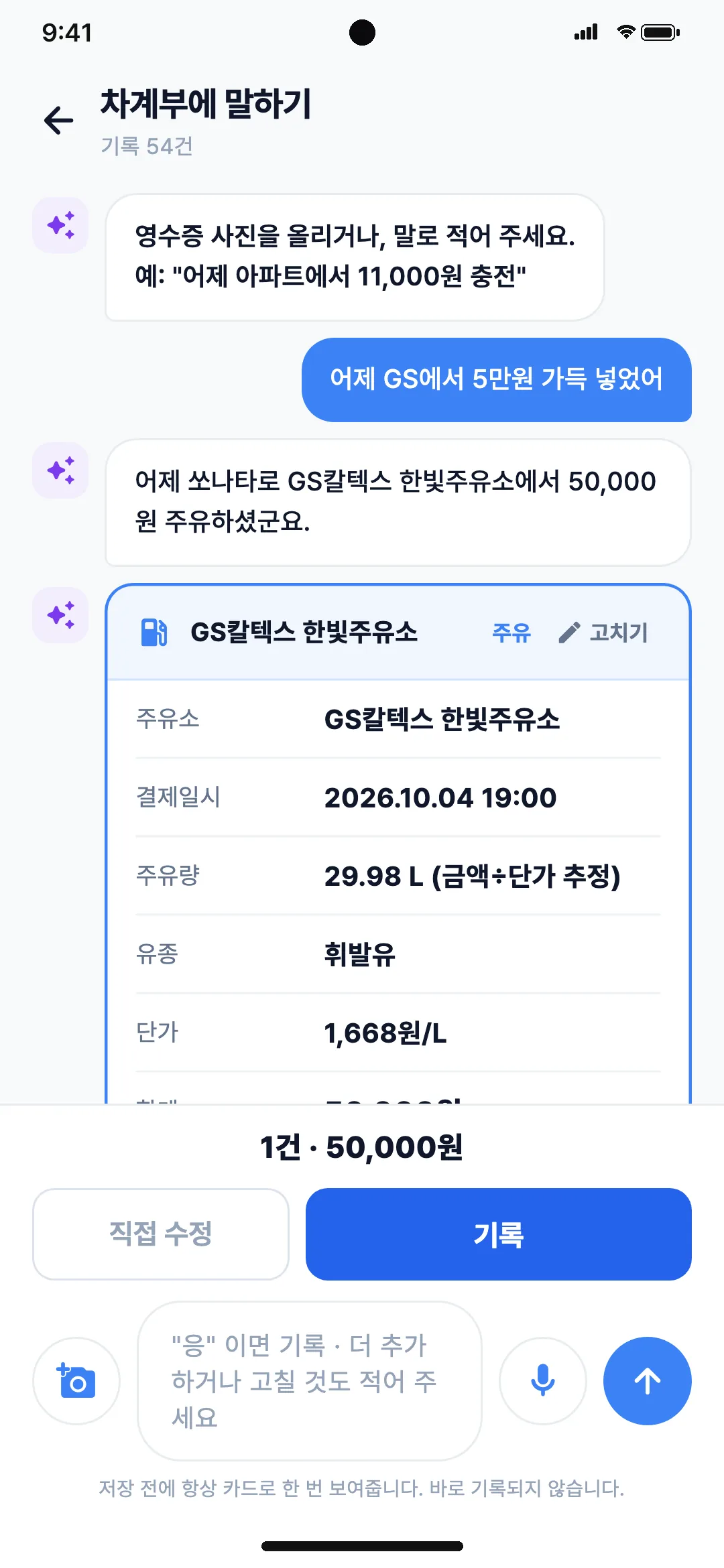
One receipt and your log is done
A photo or a single sentence logs fuel, charging and maintenance spending.
- Reads the station, amount, liters and unit price from a receipt
- Or just say it, like “I put in 50,000 won at GS yesterday”
- Fuel, charging and maintenance in one log
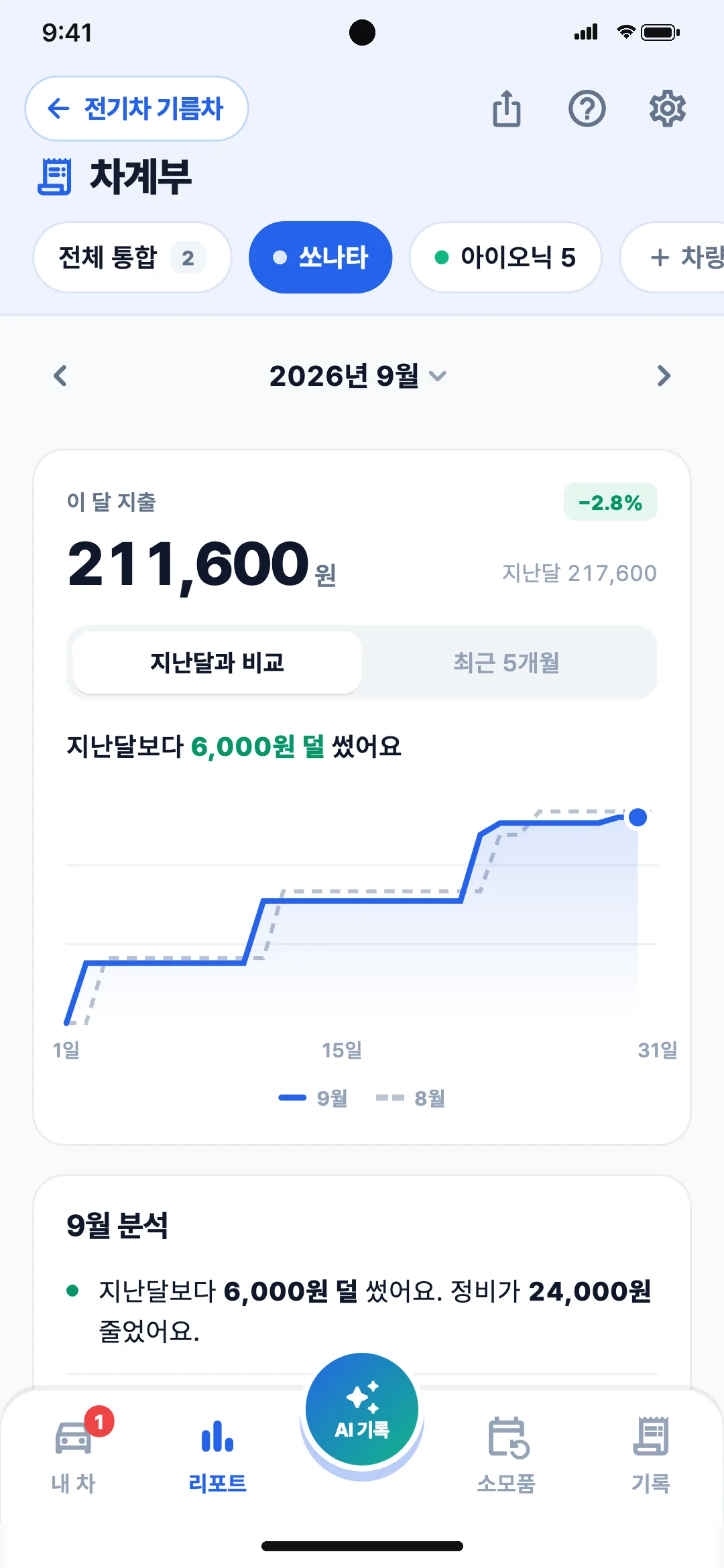
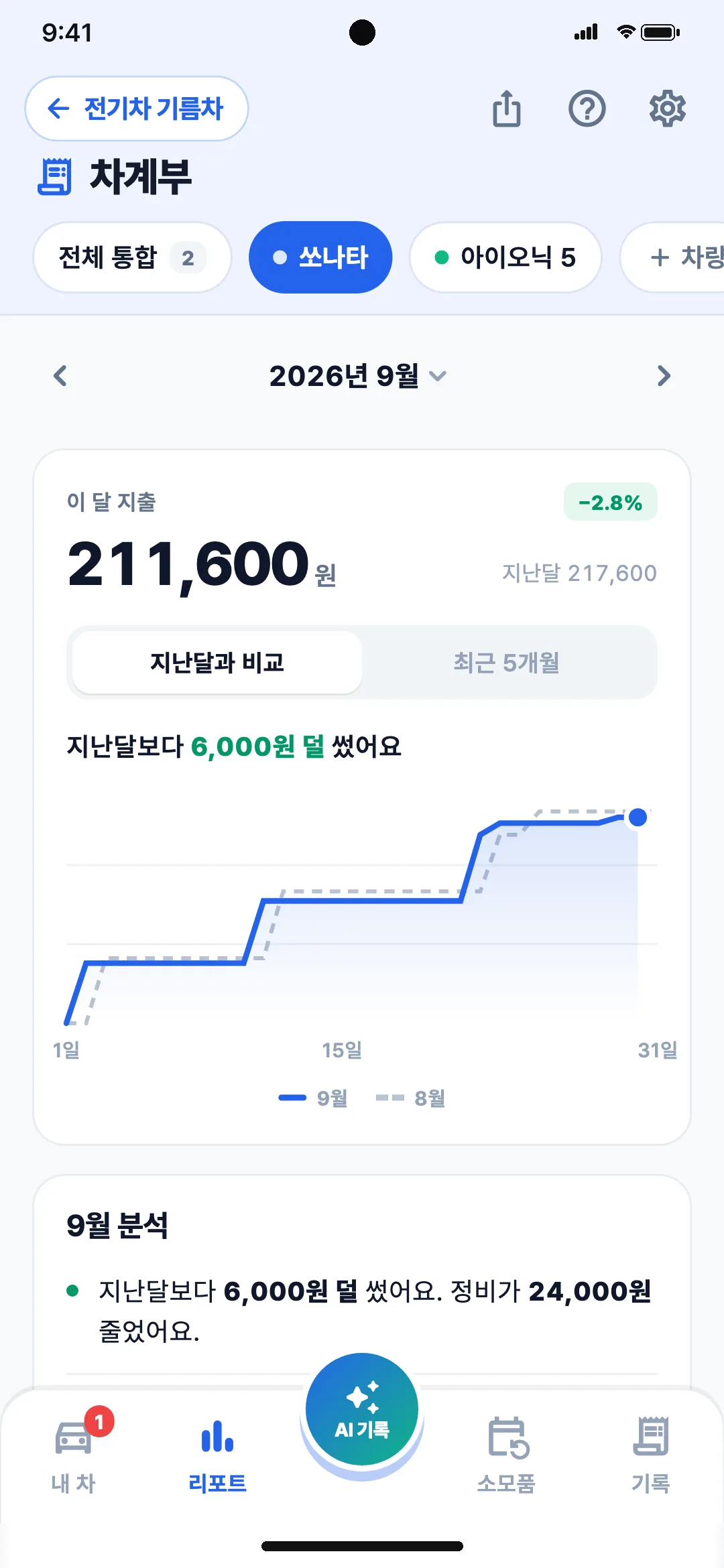
This month’s car spending at a glance
Month-over-month comparison, cost per km and real fuel economy, sorted for you.
- Compared with last month and the last 5 months
- Your prices against the national average
- Cost per km and real-world economy
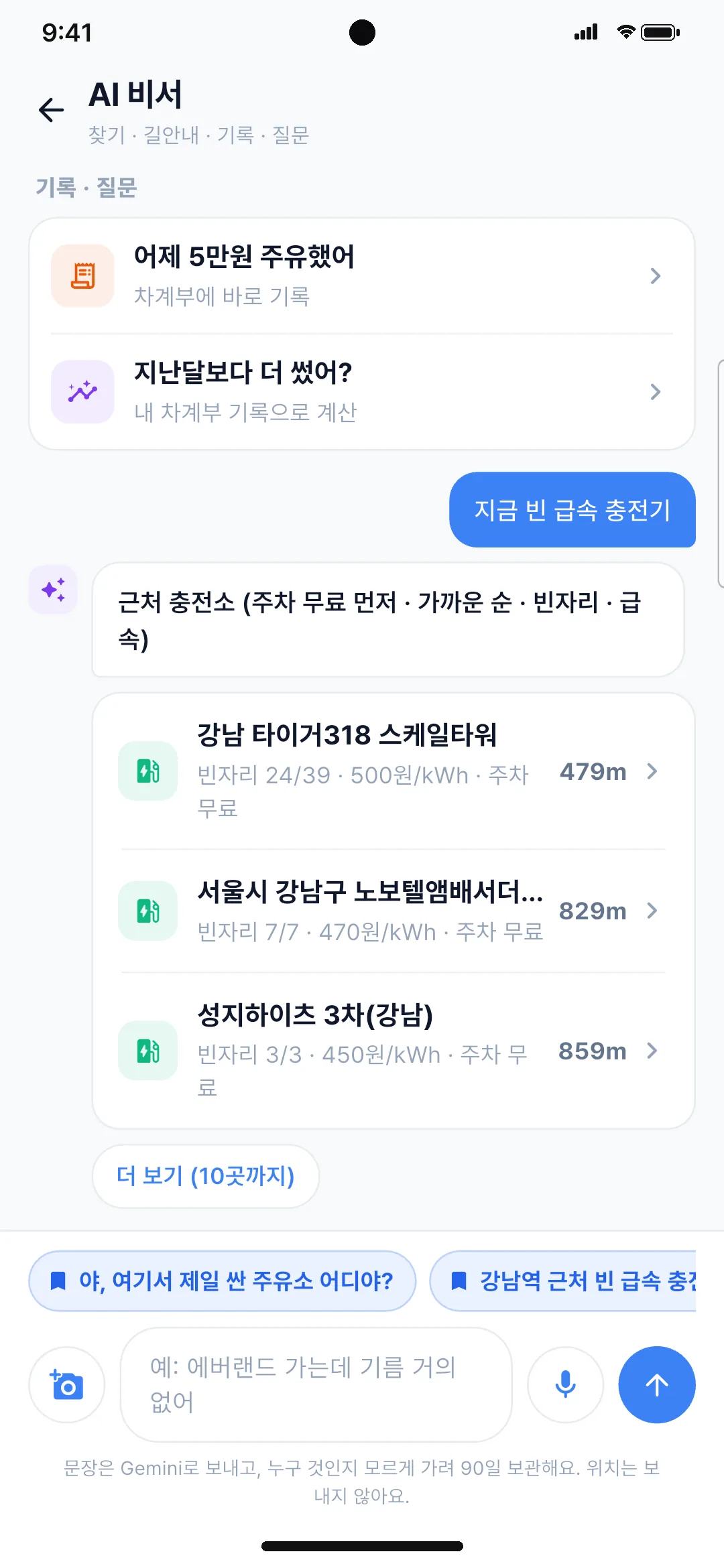
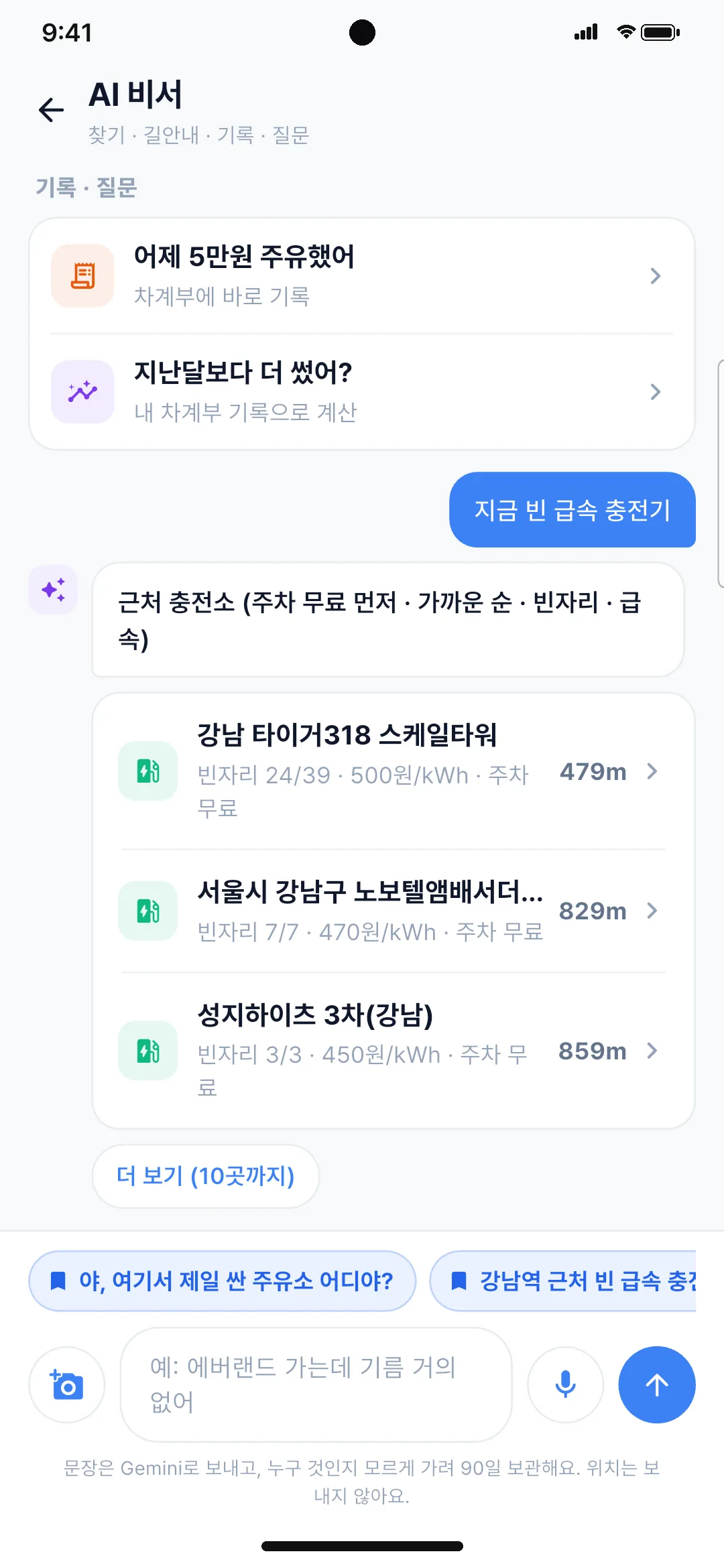
Just ask, and it finds it
Search, navigation, logging and questions, in one sentence.
- Say “open fast chargers now” and get a list
- Find gas on your way and start navigation
- Log expenses and ask about your spending
From subsidies left to recalls on your car
It reminds you of what needs attention while you own the car.
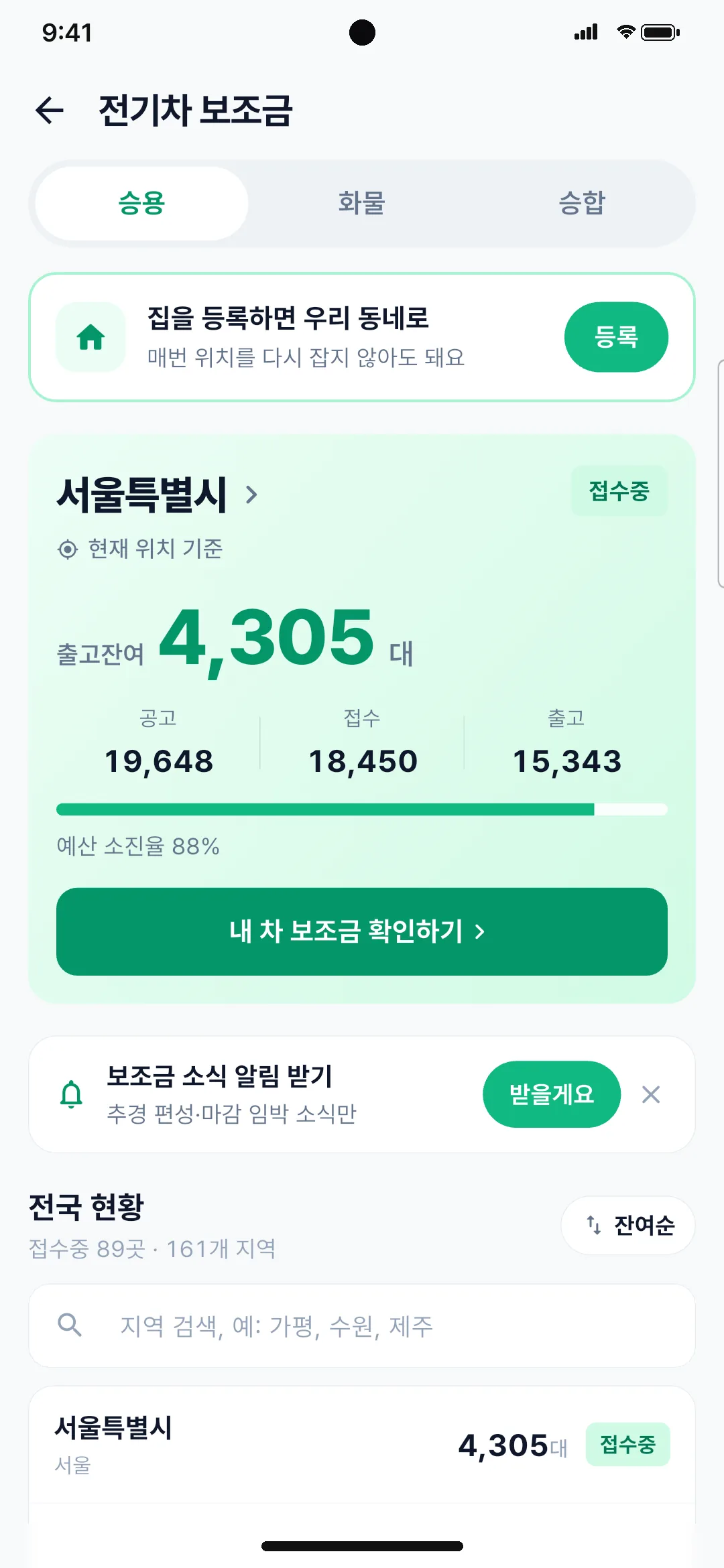
EV subsidies left
How many EV subsidies are left in your area, and when they are about to run out
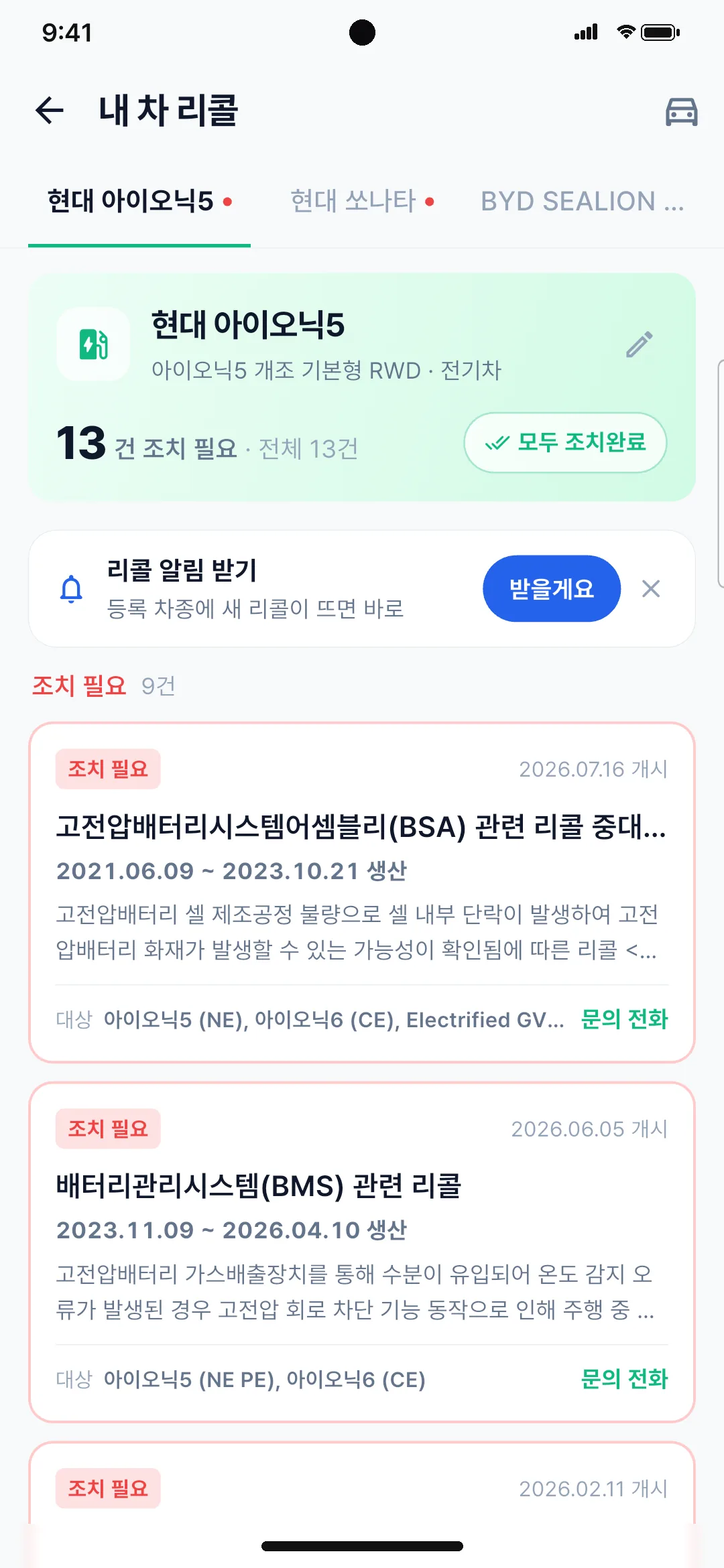
Recall alerts for your car
When your model gets a recall: what it covers and which production dates
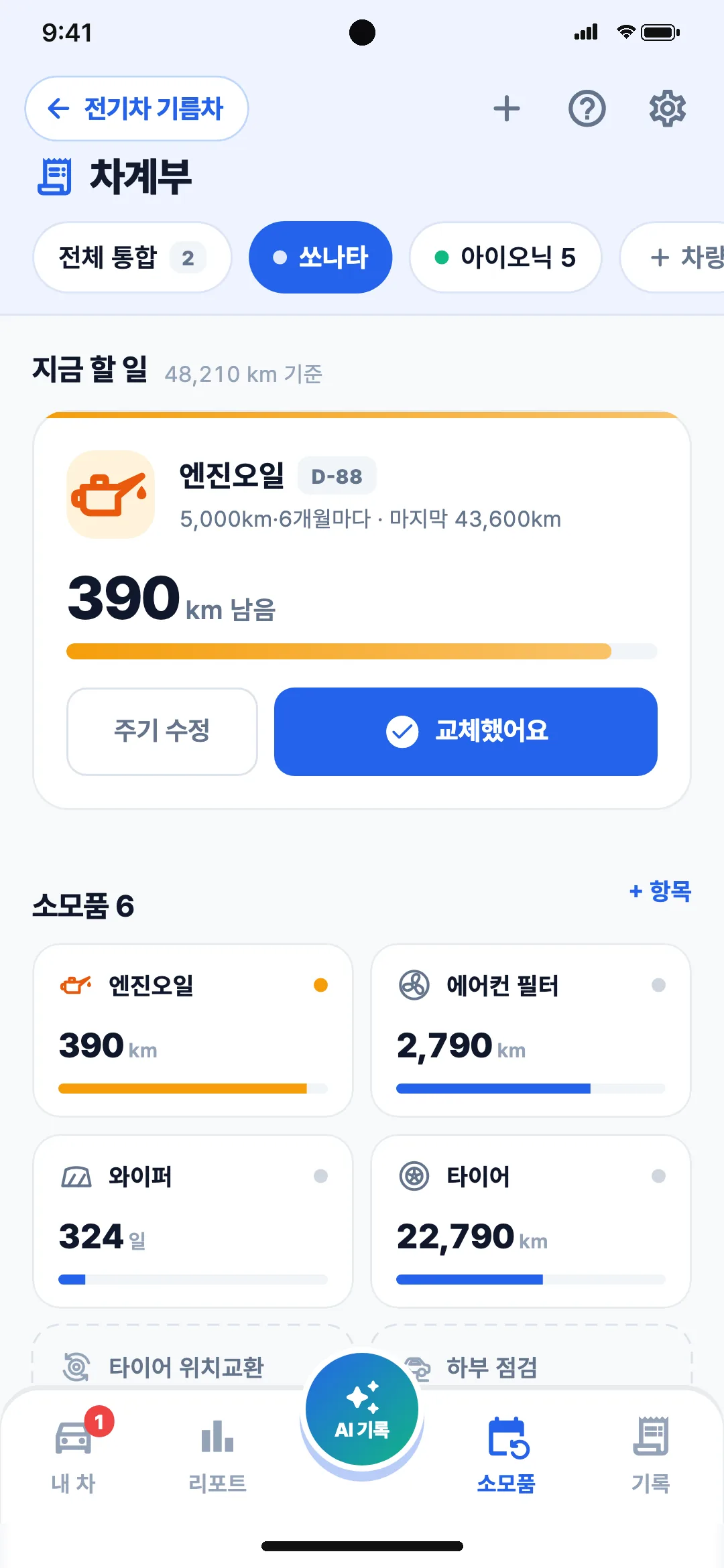
Maintenance reminders
Engine oil and other parts due for a change, tracked by mileage and time
See EV & Gas in action
Real app screens in under a minute. Videos are in Korean.


Three steps is all it takes
- 01
Add your car
Search your model and fuel type, economy and tank size fill in automatically. For EVs, battery capacity lets it predict charge on arrival.
- 02
Enter a destination
AI compares every gas and charging station on the route, waypoints included, down to savings versus detour time.
- 03
Go where it pays
Navigate there with TMAP, Naver or Kakao. Afterwards, one receipt logs it in your car log.
Is it free?
Yes. Every feature is free.
Where do prices and charger data come from?
Gas prices come from KNOC Opinet official data and charger status from the Ministry of Environment. Our own refresh pipeline keeps it current.
Does it support waypoints?
Yes. Add up to 3 waypoints on the way and the AI picks follow that route. You can also choose which routing engine to use (TMAP, Naver or Kakao).
How does the car log work?
Upload a receipt photo or say something like “I put in 50,000 won at GS yesterday” and it records the amount, liters and unit price. You also see this month’s spending, the comparison with last month and cost per km.
Do I have to add my car?
Price comparison and the map work right away. For AI picks it is best to add your car; one model search fills in fuel type, economy and tank size.
How do charger alerts work?
Turn on alerts on a full station’s page and you get a push the moment a spot opens.
Is it on iPhone?
Yes. It is free on both the App Store and Google Play. The app is available in Korea, in Korean.

Fuel and charging costs,start saving today
Free on iOS and Android